 Telemetry overlays for action creators
Edit the GoPro timeline here
Arrange clips, trim footage, split moments, and keep telemetry overlays tied to the action instead of rebuilding graphics in a separate app.
Free to download · macOS & Windows
LiveLayer gives GoPro creators a desktop timeline for cutting footage, layering speed/GPS/altitude overlays, saving projects, and exporting finished videos.
Every run. Every ride. Every flight.
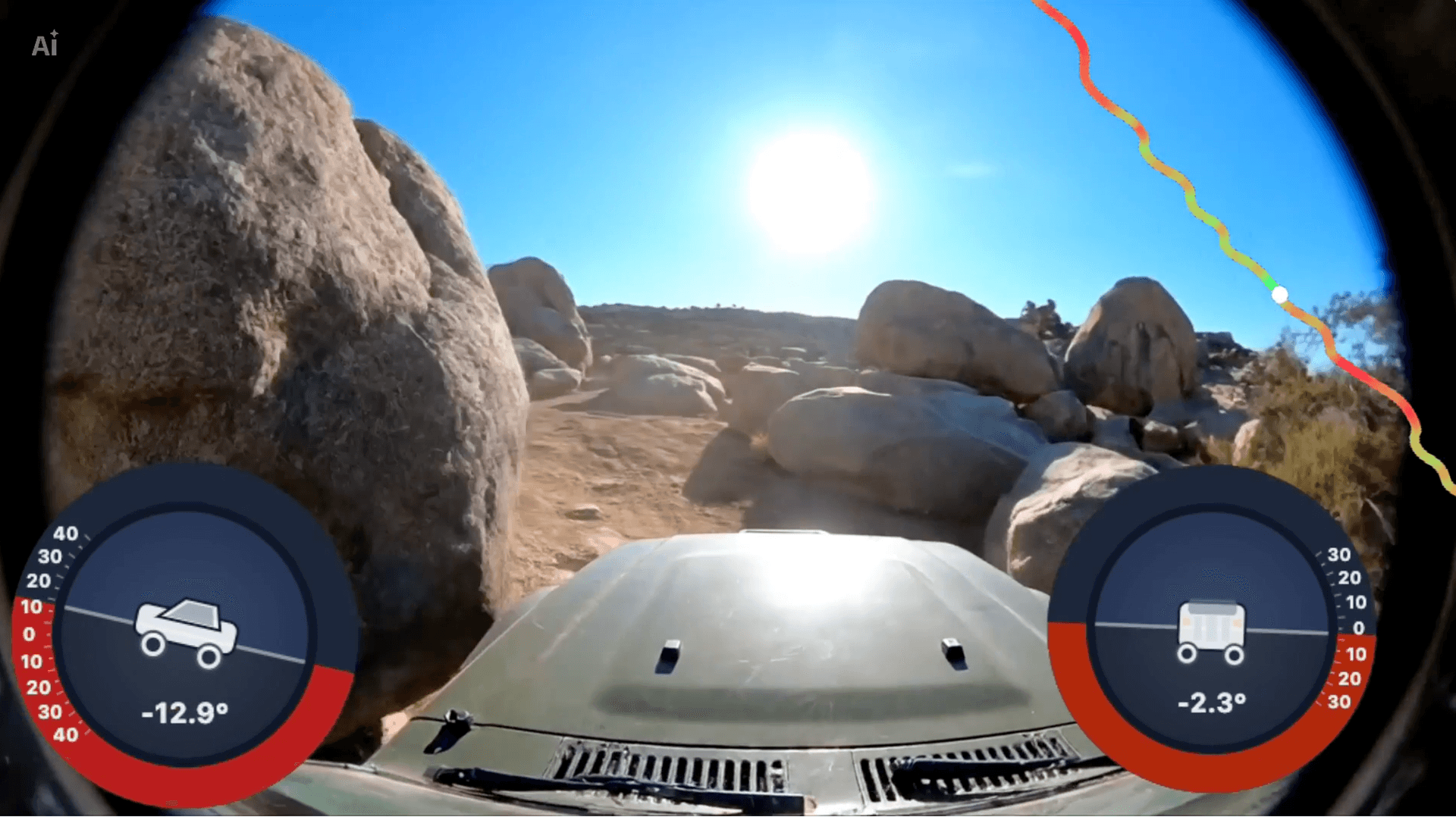
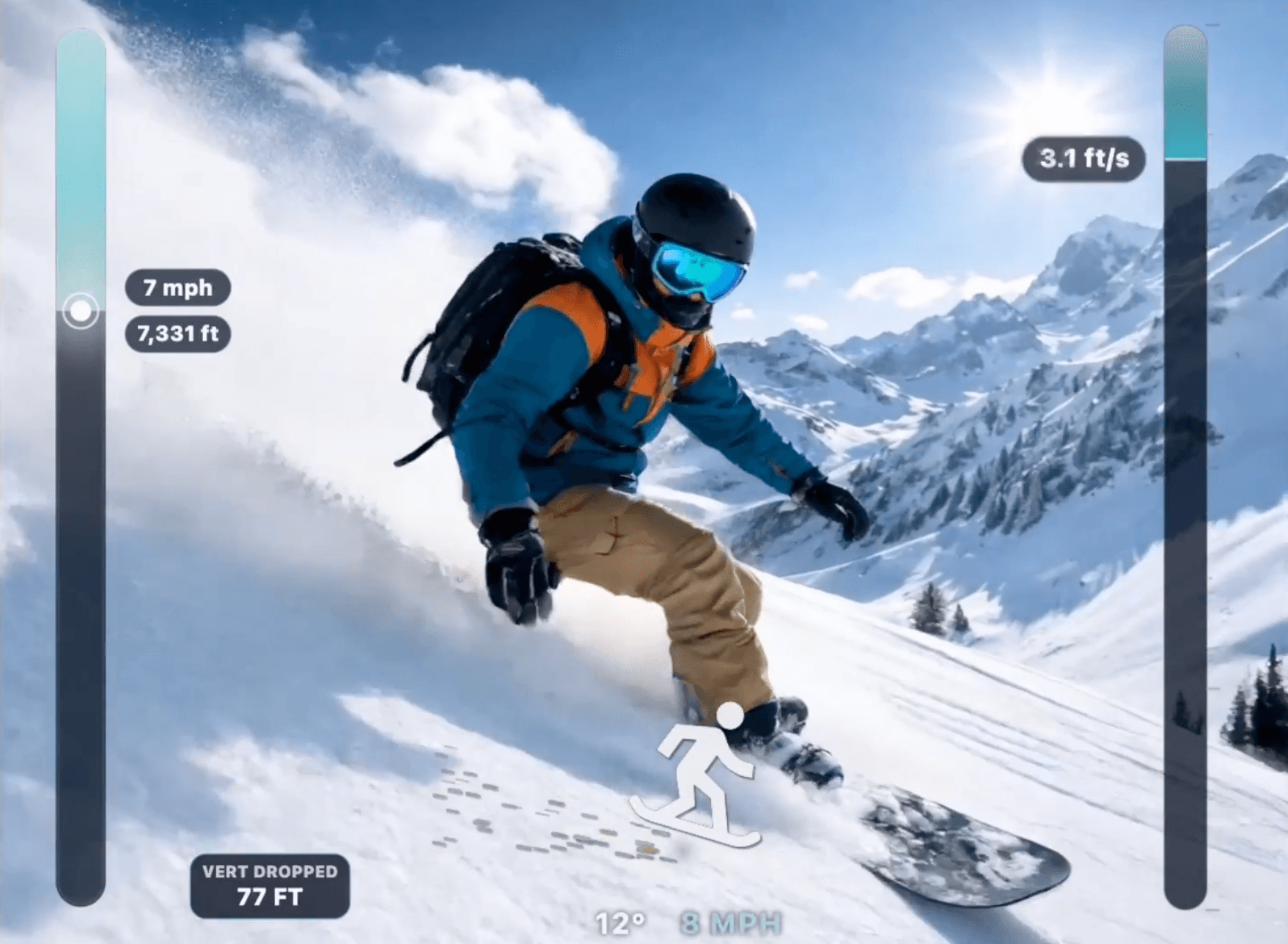
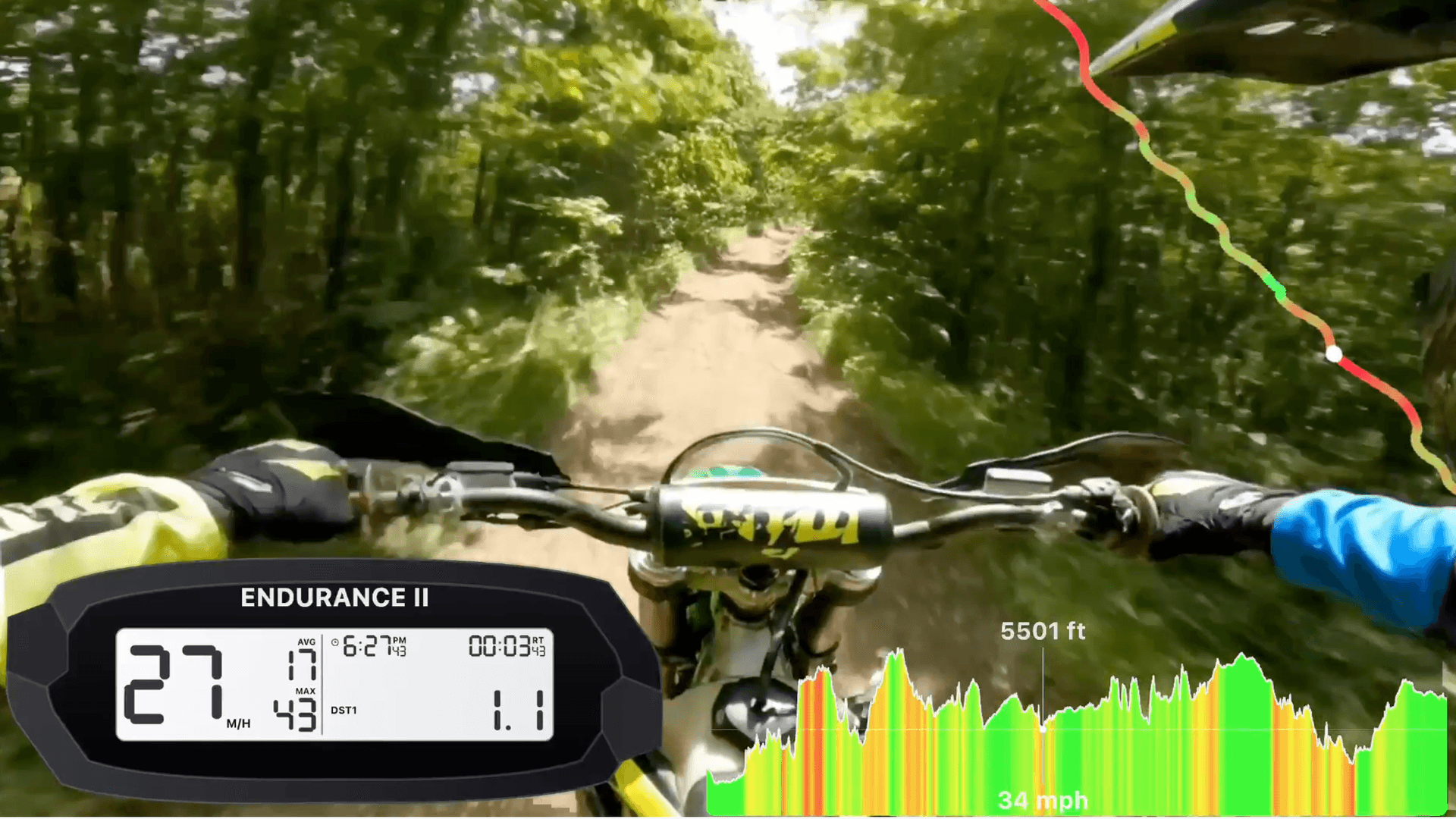
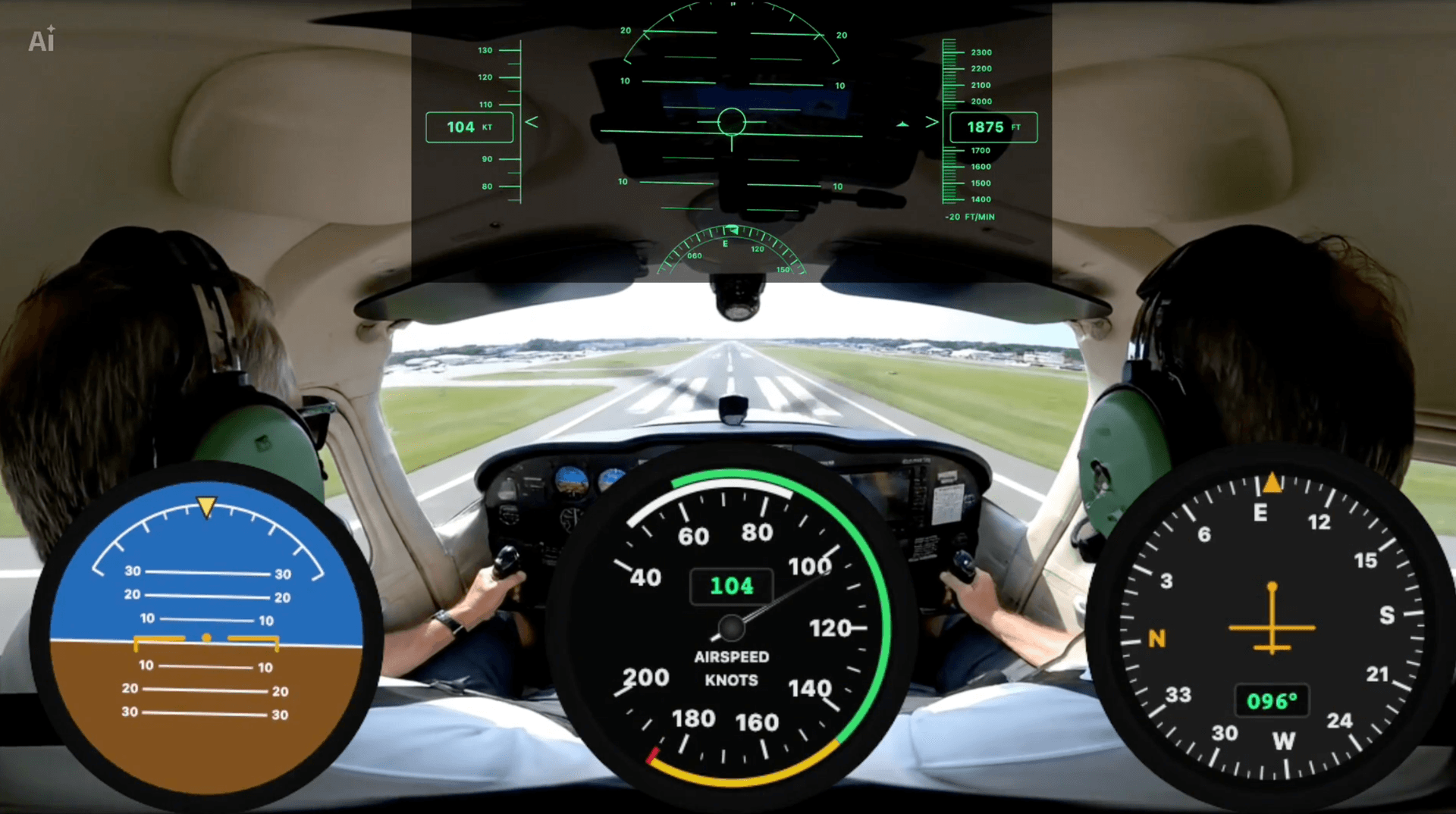
Arrange clips, trim footage, split moments, and keep telemetry overlays tied to the action instead of rebuilding graphics in a separate app.
Real speed, altitude, and GPS pulled right from the file. Viewers feel the pace, read the terrain, and see exactly what happened on every run.
Use the same overlay packs across every run, ride, and flight. Your channel starts to feel like a channel — not a pile of unrelated clips.
LiveLayer is a desktop GoPro video editor for macOS and Windows that combines timeline editing with telemetry overlays — speed gauges, altimeters, GPS tracks, G-force plots, and more — from the data embedded in your GoPro footage.
LiveLayer works with any GoPro that records GPS telemetry in its video files, including GoPro Hero 5 through Hero 13 and GoPro Max. Telemetry must be enabled in your camera settings before recording.
LiveLayer includes overlay packs for aviation (attitude, altimeter, airspeed, heading), dirt bike (speedometer, track outline, trip gauge), car/track (speed, G-force, lap timer), 4x4 (pitch and roll gauges), and snowboarding (slope angle, descent rail).
Yes — LiveLayer is free to try with watermarked exports. Upgrade to a Monthly or Annual plan for unlimited watermark-free exports.
LiveLayer is a native desktop app available for macOS and Windows. Download the latest installer from the download page.
Yes. LiveLayer includes a timeline for arranging GoPro clips, trimming and cutting footage, adding telemetry overlay layers, saving projects, and exporting a finished video.